
COPILOT ENABLEMENT PROGRAMMES
Help your team build effective Copilot use over time.
Koshima’s flagship programme combines practical learning, application in your team’s own work and direct coaching. Your team develops a clear way to work with Copilot and learns where the same approach can help with other tasks.
Typically four to eight weeks. An online kickoff is followed by one 3.5-hour face-to-face workshop each week or two 1.5-hour live online workshops each week, with online clinics in smaller groups.
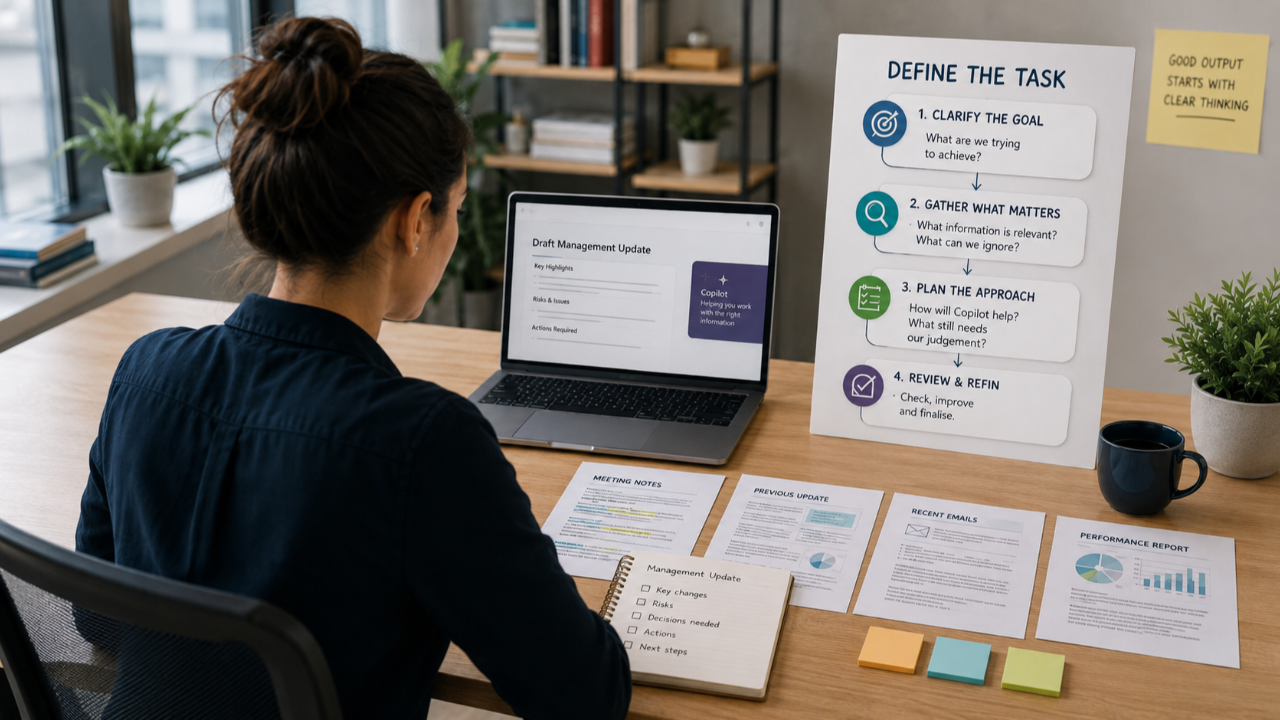
BUILT AROUND YOUR ORGANISATION’S WORK
Agree the tasks and priorities before learning begins.
We speak with your sponsor and use questionnaires and task capture forms to understand your team’s roles, experience and current ways of completing tasks. We analyse the responses and agree which learning experiences to focus on.
The programme suits a first rollout with clear expectations for results, or an existing rollout where your organisation wants greater use and value.
HOW THE PROGRAMME WORKS
Learn, apply and return for support.
What your team experiences at work informs what happens next in the programme. The schedule and clinic arrangements are agreed with your organisation.
-
Getting started
Online kickoff
Your team understands the programme and starts using Copilot through relevant examples. This builds familiarity before the first workshop.
-
Learning together
Practical workshops
Your team plans and completes agreed tasks with guidance, then reviews the results. Sessions take place weekly in person or twice weekly online.
-
Between sessions
Apply the learning at work
Team members use the approach on their own tasks, supported by suggested exercises and portal lessons. They record what worked, where they got stuck and what they want to explore.
-
Learning from experience
Feedback shapes the support
Weekly feedback, task capture and facilitator observations show how your team is applying the learning. Koshima uses these findings to adjust later sessions and support.
-
Focused coaching
Online clinics in smaller groups
Team members get direct time with a facilitator to discuss tasks, problems and ideas. They work through improvements they can try in their own work.
DEVELOPED THROUGHOUT THE PROGRAMME
A way of working your team can apply again.
Your team learns to think through tasks before asking Copilot to help. Team members set out the steps, identify the information needed and decide what they must check.
Through workshops, practice at work and clinics, your team improves how it explains tasks and keeps Copilot aligned. Team members also recognise where an approach that worked on one task can help with others.
Direct · Set out the task and its steps
Your team defines the result needed, identifies the source information and explains the steps Copilot should follow. Team members decide where to pause and check before continuing.
Review · Keep Copilot aligned
Team members compare responses with the task, looking for gaps, unsupported information and steps that have moved away from the instructions.
Refine · Improve the result
Your team asks for specific changes and works through tasks in stages, keeping Copilot aligned as the work develops.
Check · Verify before using the work
Team members check important facts, figures, completeness and suitability against the sources before using or sharing the result.
TASK CAPTURE THROUGHOUT
Capture useful approaches across your teams.
Task capture forms help team members document the steps they normally carry in their heads, the information they use, where Copilot could help and what needs checking.
These records make tasks easier to explain and identify where someone needs facilitator support. They also give your organisation documented approaches to review, improve and share across teams.
Questionnaires, task capture, feedback and programme discussions contribute to your organisation’s use case library.
ILLUSTRATIVE TASK CAPTURE
Prepare a weekly project update
The task
Summarise progress, delays and actions for the project team.
The current steps
Collect team updates, compare them with the plan, identify delays and draft the report.
Where Copilot can help
Compare the supplied updates with the plan and draft a summary using those sources.
What the team checks
Confirm dates, owners and progress against the sources. Resolve missing or conflicting information.
An example of the detail your team records. The tasks and steps reflect your organisation’s work.
SUPPORT DURING AND AFTER THE PROGRAMME
Guidance your team can return to.
- Workshop packs with the main teachings and learning experiences set out step by step.
- Suggested practice between workshops to help your team use the methods on its own work.
- Portal lessons and downloadable materials with each workshop presented as a module and each experience as a lesson, alongside source files and task capture forms.
Your team retains portal access for 60 days after the programme ends.
WHAT YOUR ORGANISATION RECEIVES
Evidence of progress and a basis for continued development.
Weekly progress reports
Your sponsor receives updates on attendance, confidence, observed capability, identified use cases and support needs. We draw on team feedback and facilitator observations. Where your organisation supplies Copilot usage reports, these provide additional evidence of activity.
Final programme report
Your organisation receives a summary of the work covered, findings across the programme and recommendations for continued learning and application.
Your organisation’s use case library
A record of tasks and approaches identified through questionnaires, task capture, feedback and programme discussions. Your teams can use it to develop and share useful ways of working with Copilot.
Suggested learning paths
Each team member receives suggestions on what to practise next, informed by their work, experience and the support needs identified during the programme.
Task capture, weekly reporting, the use case library and suggested learning paths are standard programme inclusions. The scope can be adapted by agreement.
Discuss a Copilot programme for your team.
Tell us about your team, its current Copilot use and the work you want to improve.