
YOUR FIRST MICROSOFT 365 COPILOT ROLLOUT
Help your first teams use Copilot on real work
You’re about to give staff Microsoft 365 Copilot licences, or your first group has just received them. Who should start? What should they use it for? And how will you know whether it helps?
Koshima helps you choose the first groups, build practical exercises around their work and gather the evidence you need to decide what to do next.
BEFORE THE FIRST SESSION
Choose who starts and what they’ll work on
Start with people who can identify regular tasks they want to improve and have time to practise between sessions. Koshima uses a short questionnaire to learn about their roles, the work that takes time and how much experience they already have with Copilot.
We use those answers to form groups and agree which tasks to focus on. Your organisation confirms that team members have Copilot licences and can access the files and tools they need before the first session.
DURING THE ROLLOUT
Teach a way of working with Copilot through your team’s tasks.
-
Understand tasks before using Copilot
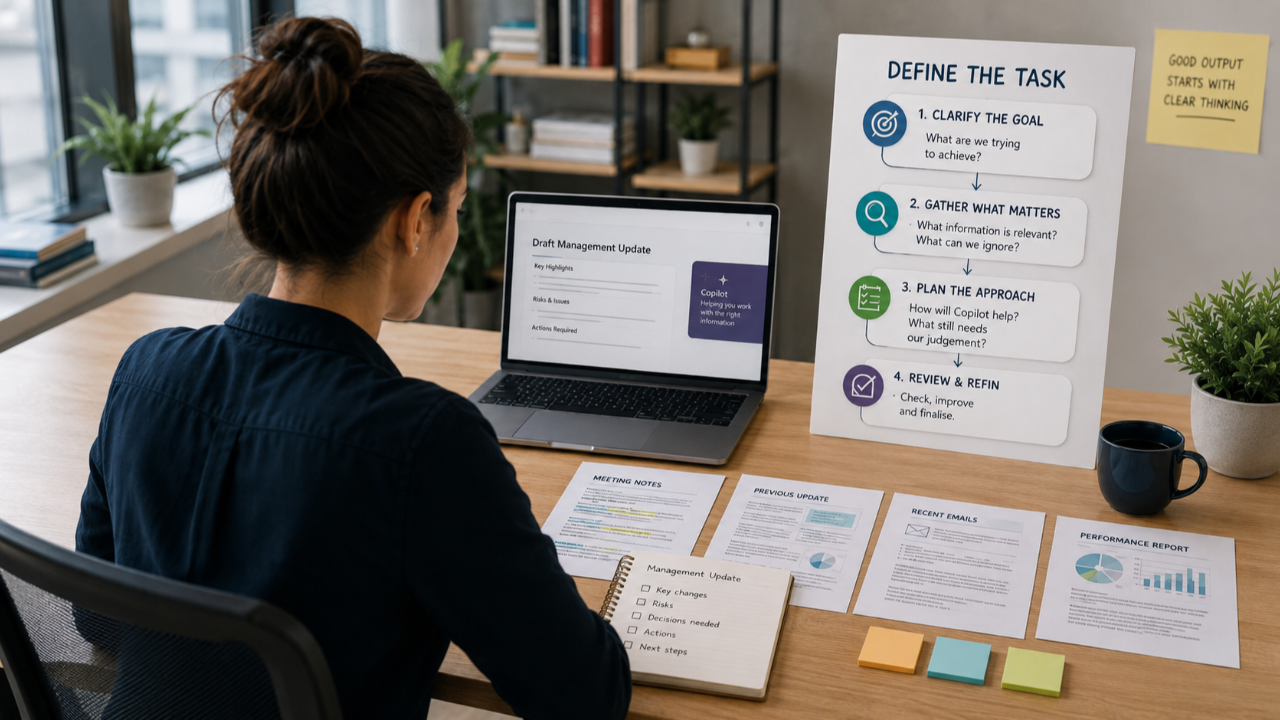
Your team sets out the result needed, the steps it normally takes, the information it uses and the decisions or checks involved. Task capture forms make this clear before the exercise begins.
-
Choose the right way to use Copilot
Learning connects Copilot Chat to the tasks people have, workspaces to recurring work, and agents to defined tasks for a team or department. The choice follows the work, with access and permissions considered.
-
Explain, review, refine and check
Your team gives clear instructions and works through the task step by step. It reviews responses, keeps Copilot aligned, asks for changes and checks the result against the source information.
-
Apply the learning to other work
Team members consider where the same approach could help with other tasks. Practice at work, feedback and clinics help them work through questions and improve their use of Copilot.
MAKE THE WORK CLEAR
Use task capture to plan learning and record what works.
People often know the steps of their work without having written them down. A task capture form helps your team explain those steps, identify where Copilot could help and make checks clear.
Use these records to select relevant learning, identify support needs and build a use case library your teams can review and share.
WHAT TO RECORD FOR EACH TASK
The result needed
What does the team need to produce, and who uses it?
The steps and sources
How is the task completed today, and what information is needed?
Where Copilot could help
Which steps could it support, and what instructions would keep it on track?
The checks and learning
What needs checking, what worked and what could help with other tasks?
BEFORE YOU EXPAND
Decide what to do before the next group starts
Review what the first groups did with Copilot in their own work, which tasks they repeated and what got in their way. Koshima brings together three types of evidence, each of which answers a different question.
team member feedback · What did people try?
Team members report which tasks they tried, what they found useful and where they need help. This gives leaders examples to follow up on.
Workshop observations · What did team members need help with?
Facilitators record where team members needed support and which checks they could carry out during exercises. This helps identify what to reinforce for the next group.
Usage data · How often did people use Copilot?
Where your organisation can share the Microsoft Copilot usage report, review how often people used Copilot. Use that alongside feedback and observations to understand what people used it for and whether it helped.
Use what you learn to choose which teams should start next, which tasks they should practise and what support or access they need first.
Discuss your first Copilot rollout
Talk through who should start, what they could practise and what you want to learn before expanding.
Contact Koshima